Spreadsheet to CRM in 7 days: a no-drama migration plan

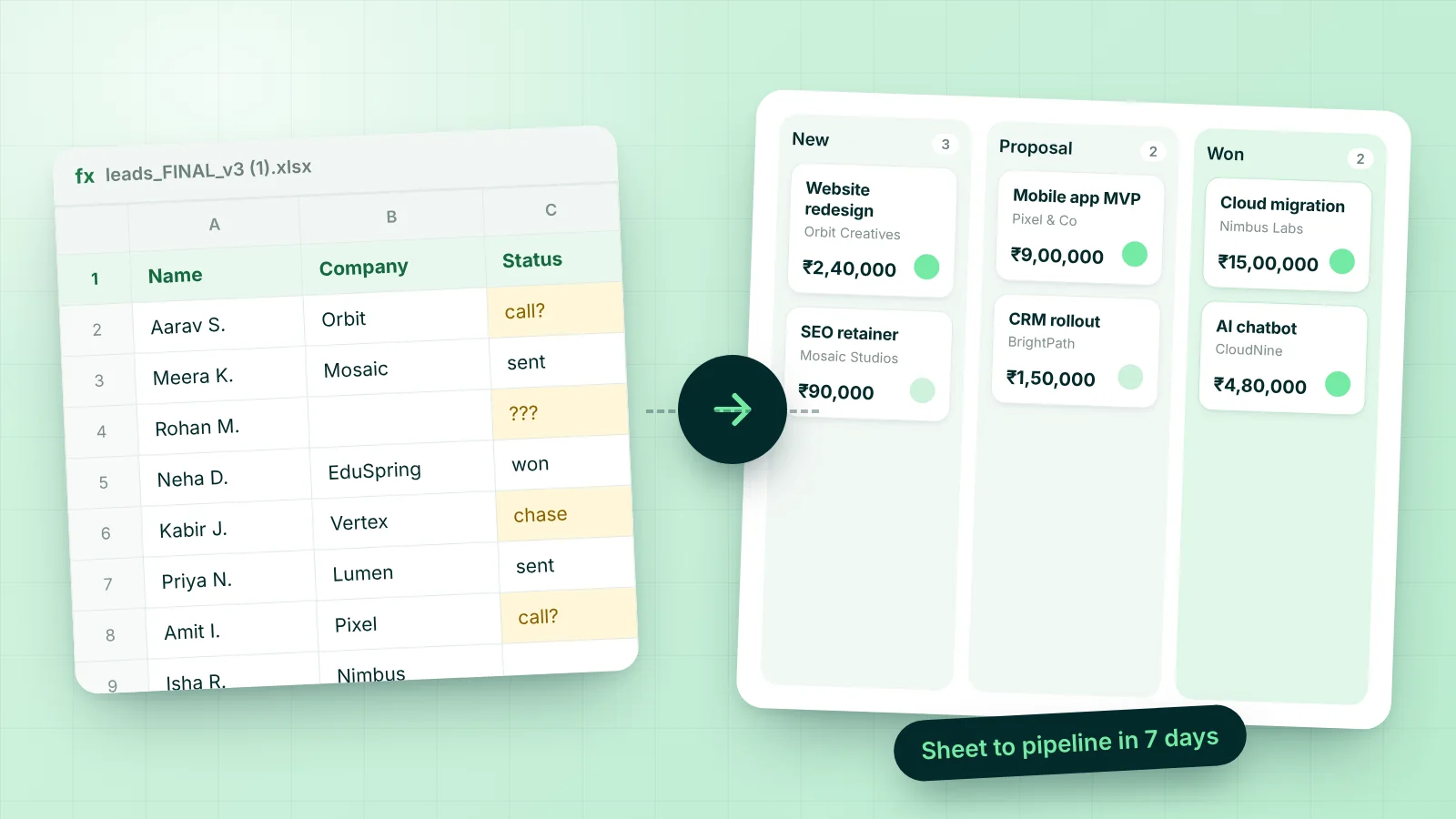
Almost every service business starts in a spreadsheet, and that is fine. A sheet is flexible, free and familiar. The trouble starts when three people edit it, a tab called “Final v3” appears, and nobody can say which leads were contacted last week.
Moving to a CRM feels like a big project, so it keeps getting postponed. It does not have to be. Here is a week-long plan that keeps the team working while you switch.
Before you start: decide what the CRM must answer
Write down three questions you cannot answer quickly today. For most teams they are:
- Who needs a reply or a follow-up today?
- What is in the pipeline, and what is it worth?
- Who owes us money, and for how long?
If the CRM can answer those three questions every morning, the migration is a success. Everything else is optional and can wait.
Day 1: clean the sheet, do not perfect it
Open your main sheet and aim for one row per person or enquiry. Keep only the columns you will use: name, company, email, phone, source, service wanted, rough budget and notes. Merge obvious duplicates. Move leads that have been dead for a year into a separate file called “archive”, because importing them only buries the live ones.
Day 2: set up your pipeline stages
Stages describe what is true about a deal, not what you hope will happen. Five or six is plenty. A typical service pipeline looks like this: New, Qualified, Proposal sent, Negotiation, Won, Lost.
Use words your team already says out loud. In Worthit AI you can rename stages, add new ones and set a default win probability in Settings, under Pipeline, and the board and forecast follow along.
Day 3: import your leads
Save the cleaned sheet as a CSV and use the import option on the Leads screen. Check the preview before you confirm, and spot-check ten records afterwards: are names, companies and phone numbers in the right fields? Fix the pattern, not the individual rows. If the same mistake appears ten times, change the sheet and import again.
Then give every lead an owner. A lead without an owner is a lead nobody will call.
Day 4: add your services and templates
Proposals take long when every price is typed from scratch. Spend an hour entering your services with their standard prices in the catalogue, and save one or two proposal and email templates you reuse. This is the day that pays back fastest, because every future proposal starts from something good.
Day 5: invite the team and set roles
Add your colleagues and choose a role for each one. Salespeople need leads and deals, the project lead needs projects and tasks, and whoever handles billing needs invoices. Giving people only what they need keeps the screen simple and the data safer.
Also connect your email. If you add your own SMTP settings, messages sent from the CRM go out from your own address, which your clients already trust.
Day 6: run one real deal end to end
Pick a live opportunity and take it all the way through the new system:
- Open the lead and log your latest conversation.
- Convert it into a deal and place it on the board.
- Build a proposal from the catalogue and download the PDF.
- Mark the deal as won and look at the project that is created for delivery.
- Create the first invoice and record the payment when it arrives.
You will find two or three small things to adjust, such as a stage name or a template line. Better to find them on one deal than on fifty.
Day 7: retire the spreadsheet
Make the old sheet read-only and put a note at the top: “We now work in the CRM.” Announce a start date, usually the next morning. Set a recurring 20-minute pipeline review on Monday where the team walks the board together, using the CRM and not a slide deck.
Finally, connect your website form so new enquiries stop arriving in your inbox and start arriving in Leads.
Five mistakes that stall a migration
- Too many fields. Every extra field is a reason not to fill the record in.
- Too many stages. If you need a legend to explain the board, simplify it.
- Importing everything. Dead leads make the live ones harder to see.
- No owner. Shared responsibility turns into nobody’s responsibility.
- No review habit. A CRM that is not looked at together becomes a second spreadsheet.
The goal is not a perfect database. The goal is a team that opens one screen every morning and knows what to do next.
Ready to try the plan? Start a free trial, import a few leads and see how far you get in a day. If you would like a walkthrough built around your own process, book a demo.